
Orders placed by 11:00 AM Mountain Time Monday-Friday ship the same day!
(801) 491-6931 / hello@mycolorcopies.com
AI Image Print Resolution: Will Your File Print Sharp?
Pictures made by AI tools often look great on a screen but print soft or blurry, because most of them are too small for paper. This short guide shows what to check before you send us a file, with a side-by-side example, so your prints come out the way you expect.
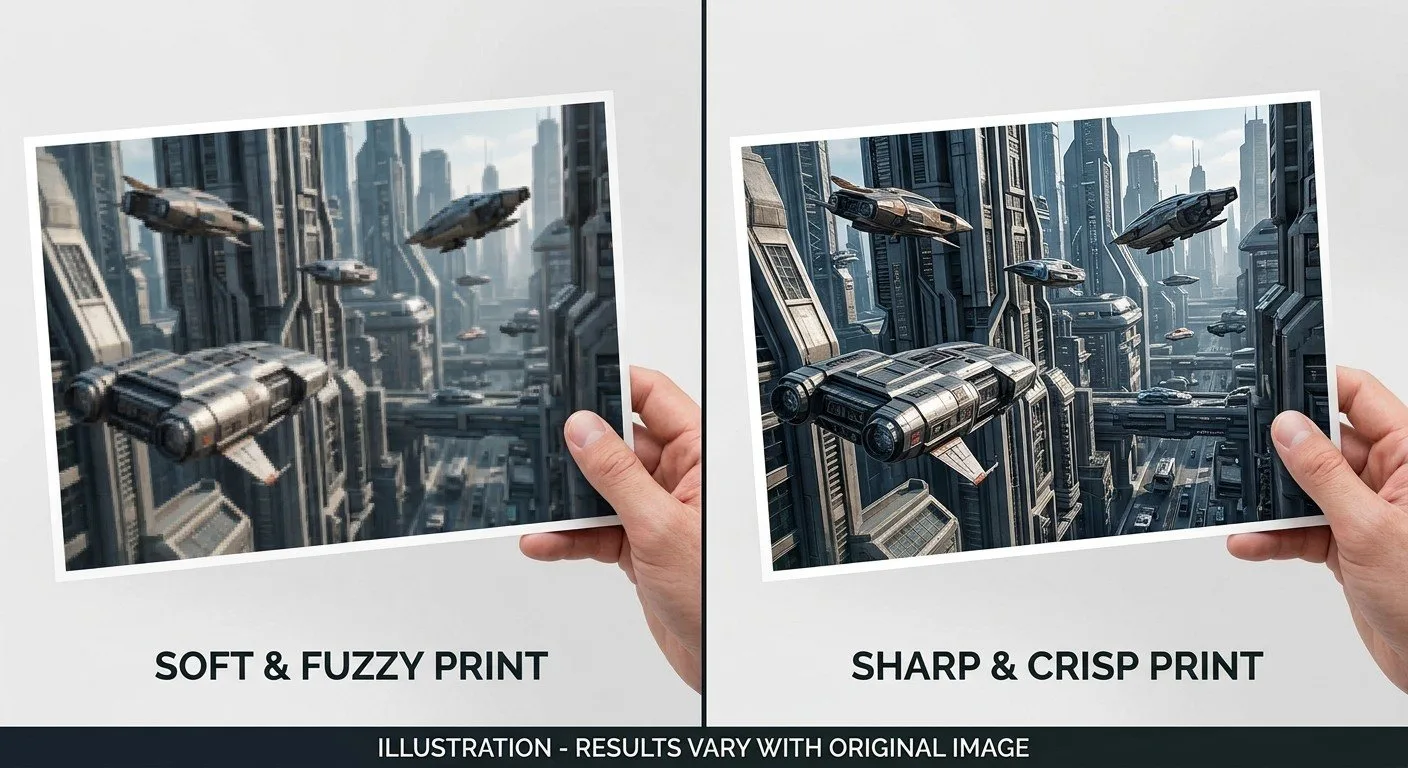
Why AI images print soft
A picture is made of tiny dots called pixels. A good print needs about 300 pixels for every inch of paper. When a picture has too few pixels for the size you want, the printer has to stretch them, and the stretching shows up as fuzzy edges, blocky curves, and smeared fine detail. We cannot add detail that is not in the file.
See the difference
Each pair below shows the same sample image, zoomed in on the same spot. The red-topped picture started as a typical 1024-pixel-wide AI-size picture stretched to print size. The green-topped one is a full-size, print-ready file.

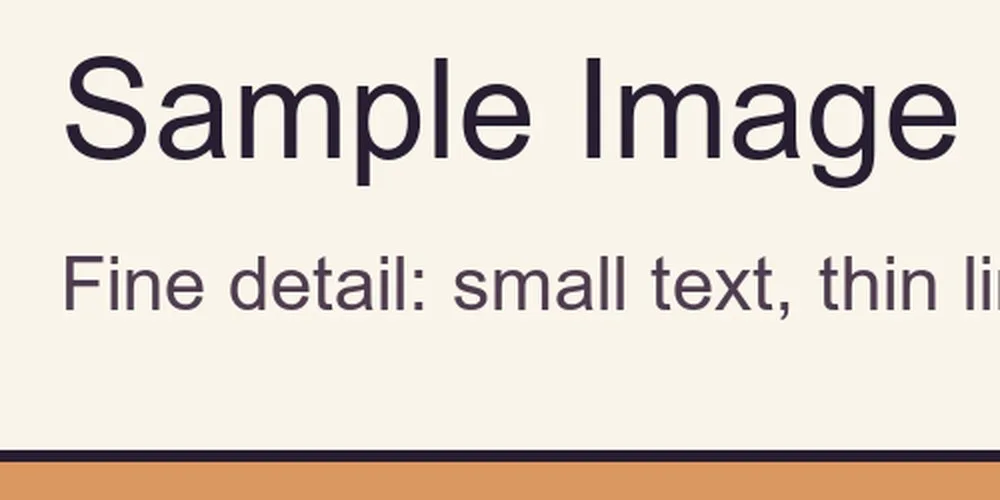
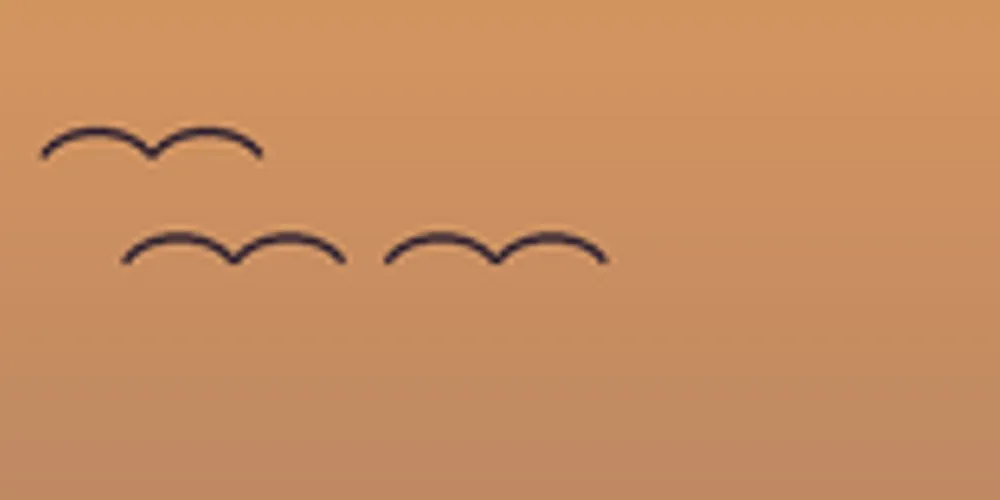
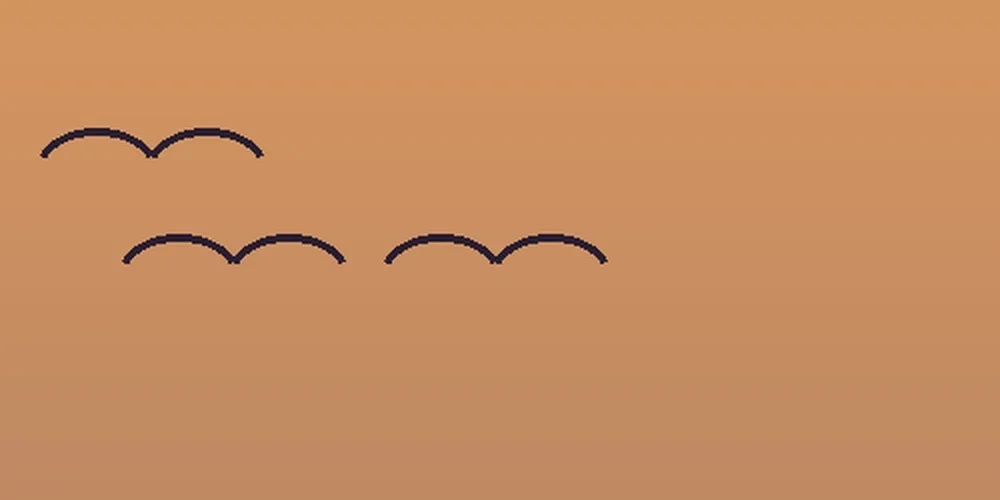
These are illustrations made to show the difference. Your own picture may look better or worse depending on how detailed it is.
How big does my picture need to be?
This table shows the largest size a picture will print sharply, based on its size in pixels. Many AI tools produce pictures in the first three rows.
| Picture size (pixels) | Sharp print size (300 per inch) | Acceptable, a little softer (150 per inch) |
|---|---|---|
| 1024 x 1024 | 3.4 x 3.4 inches | 6.8 x 6.8 inches |
| 1536 x 1536 | 5.1 x 5.1 inches | 10.2 x 10.2 inches |
| 2048 x 2048 | 6.8 x 6.8 inches | 13.7 x 13.7 inches |
| 2550 x 3300 | 8.5 x 11 inches (full page) | 17 x 22 inches |
| 3300 x 5100 | 11 x 17 inches | 22 x 34 inches |
| 4096 x 4096 | 13.7 x 13.7 inches | 27.3 x 27.3 inches |
Common sizes at 300 pixels per inch: 4 x 6 inches needs 1200 x 1800. 5 x 7 inches needs 1500 x 2100. 8.5 x 11 inches needs 2550 x 3300.
Posters and banners are seen from farther away, so about 100 to 150 pixels per inch is usually fine. For example, a 24 x 36 inch poster at 100 pixels per inch needs about 2400 x 3600.
How to check your picture size
On Windows
Right-click the file, choose Properties, then open the Details tab. Look for Dimensions. It shows the width and height in pixels.
On a Mac
Right-click the file and choose Get Info. Look for Dimensions under More Info.
On a phone
Open the picture in your gallery or photos app, then swipe up or tap the info button. The size is listed there.
How to get a sharper file
Use the upscale option
Many AI tools can make a larger, higher-resolution copy of a picture. Use that option, then download the biggest version.
Send the original file
Please do not send a screenshot, or a picture saved from a text message or social media. Those are shrunk down.
Print it smaller
A picture that is soft at 8.5 x 11 may look fine at 4 x 6. Choosing a smaller size is the simplest fix.
Check the spelling
AI tools often misspell words inside pictures. Add your text in a design program instead, and proofread it before you send the file.
Need us to fix it for you?
If your picture is too small, we can often improve it before printing. This is an optional add-on, and we always tell you the price before we start.
Image fix: $10 per file
We use AI upscaling to enlarge your picture, set it to the right size, and save it print-ready.
Image fix plus text touch-ups: $20 per file
Everything above, plus minor text fixes, such as a misspelled word. You send us the correct text and approve the final wording.
Questions we hear most
Why does my AI image look sharp on my screen but blurry when printed?
A screen is forgiving. It only needs about 100 pixels per inch, and you are usually looking at a small version of the picture. Paper shows much more detail, so a picture that is too small prints soft, blocky, or fuzzy around the edges.
Can you make my AI image higher resolution for me?
Yes, as a paid add-on. AI upscaling and resizing is $10 per file. If you also need minor text fixes, using text you send us, it is $20 per file. We tell you the price first, you approve it, and there is no charge if the result does not look good. We do not offer full design or redrawing. Upscaling can only estimate missing detail, so a very small image may still look soft.
What file type should I send?
A PDF is best. A high-quality JPG or PNG also works, as long as it is large enough for the size you want printed. Please do not send a screenshot or a picture copied from a text message or social media, because those are shrunk down.
What if my image is too small for the size I want?
You have three choices: upscale it to a larger size, print it smaller, or print it anyway knowing it will look softer. If you are not sure, call or text (801) 491-6931 before you order and we will tell you what to expect.