
Christmas cards: last day to order is December 19. Most orders ready in 2 business days.
(801) 491-6931 / hello@mycolorcopies.com
Print Your Own Christmas Cards: 5 x 7 With Envelopes
Made your Christmas card with an AI image tool like ChatGPT, Gemini or Grok, or with Canva or your own photos? We print it. Full color on thick 100 lb matte cover stock, with a white envelope for every card. Prices start at $0.80 per card, and most orders are ready in 2 business days.
Pick up free at our shop in Mapleton, or have your cards shipped at cost. If you need them before December 25, choose local pickup or order early.
Christmas Card Prices
One-sided, full color, 5 x 7 inches (portrait or landscape), printed on 100 lb matte cover stock. Every price includes a white envelope for each card.
| Quantity | Per card (shipping extra, charged at cost) |
|---|---|
| 15 cards | $1.40 |
| 25 cards | $1.30 |
| 50 cards | $1.20 |
| 75 cards | $1.10 |
| 100 cards | $1.00 |
| 125 cards | $0.95 |
| 150 cards | $0.90 |
| 200 cards | $0.85 |
| 250 cards | $0.80 |
Need a different quantity? Call or email us for a quote. Printing a very large run? See our bulk color copies. Need it fast? See same-day printing in Utah County. Shipping is charged at cost. Tax may apply.
Christmas Card Printing at a Glance
Turnaround
Most orders are ready within 2 business days after we approve your file and your invoice is paid.
Pickup or shipping
Pick up free at our shop in Mapleton, Utah, Monday-Friday, 9 AM-5 PM, or ship by ground at cost. Last day to order is December 19.
Paper
Thick 100 lb matte cover stock with a smooth, non-glossy finish. A white envelope is included with every card.
Size
5 x 7 inches, one side. Choose portrait (5 wide by 7 tall) or landscape (7 wide by 5 tall).
Accepted files
PDF is best. High-quality PNG and JPG files work too, if the picture is big enough. See the size guide below.
Your design, printed
We print from your finished file and check it first. We do not design cards, but we can enlarge a small picture for $10 per file.
Make Your Own Christmas Card With AI
You do not need design skills. Here is the easy way, in seven steps.
- Pick portrait (tall) or landscape (wide) and download the matching free template below.
- Copy a prompt from this page, paste it into ChatGPT, Gemini, Grok or any AI image tool, and change the colors and theme to what you like.
- Download the biggest version of the picture the tool gives you. Do not take a screenshot.
- Put the picture in our template and drag it so it fills the whole card, right to the edges.
- Add your greeting and names with the text tool. Do not ask the AI to write words. It often spells them wrong.
- Download your finished card as a PDF, PNG or high-quality JPG. Make sure the template's red and green lines do not show in your final card.
- Upload it with the order form below. We check it and tell you before you pay if anything will not print well.
Free templates with guide lines
Each template shows the card edge (red) and a safe line a quarter inch inside it (green dashed). Keep faces and words inside the green line.
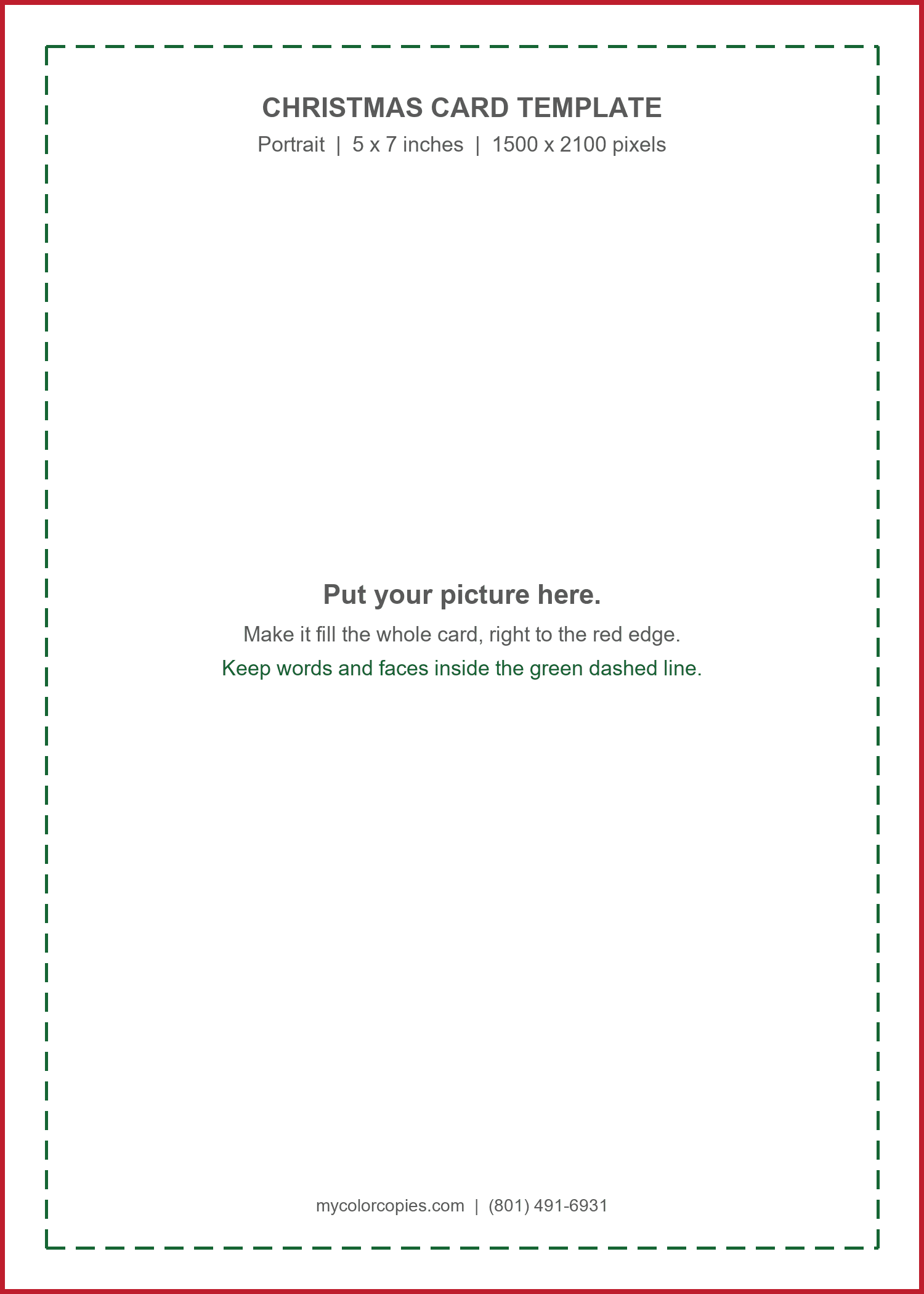
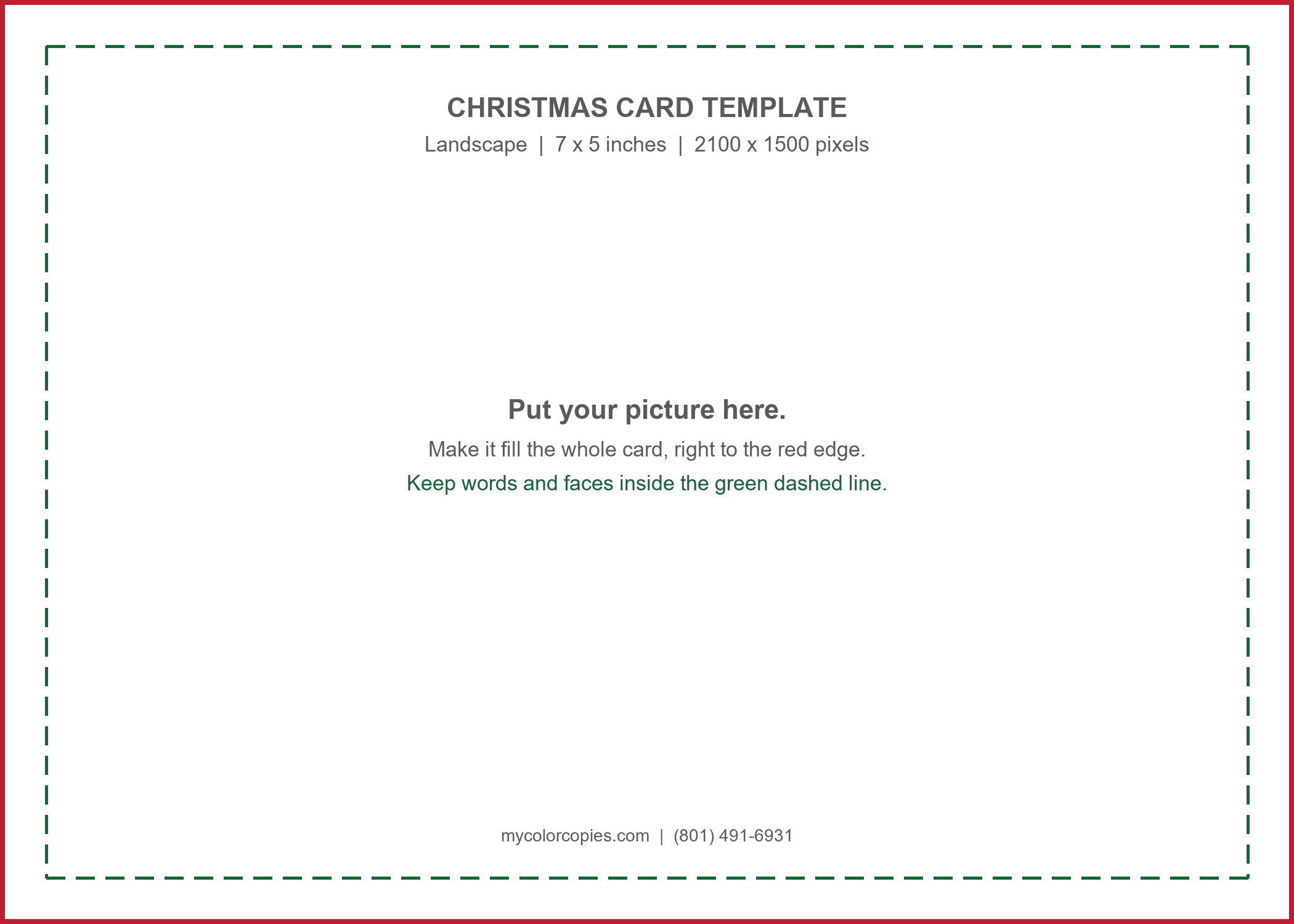
How big does the picture need to be?
A portrait card needs about 1500 x 2100 pixels. A landscape card needs about 2100 x 1500 pixels. Smaller pictures look soft when printed. Many AI tools give you a smaller picture, so choose the largest or highest-quality download. Not sure? Upload it and we will tell you for free. Details are in our AI image print size guide.
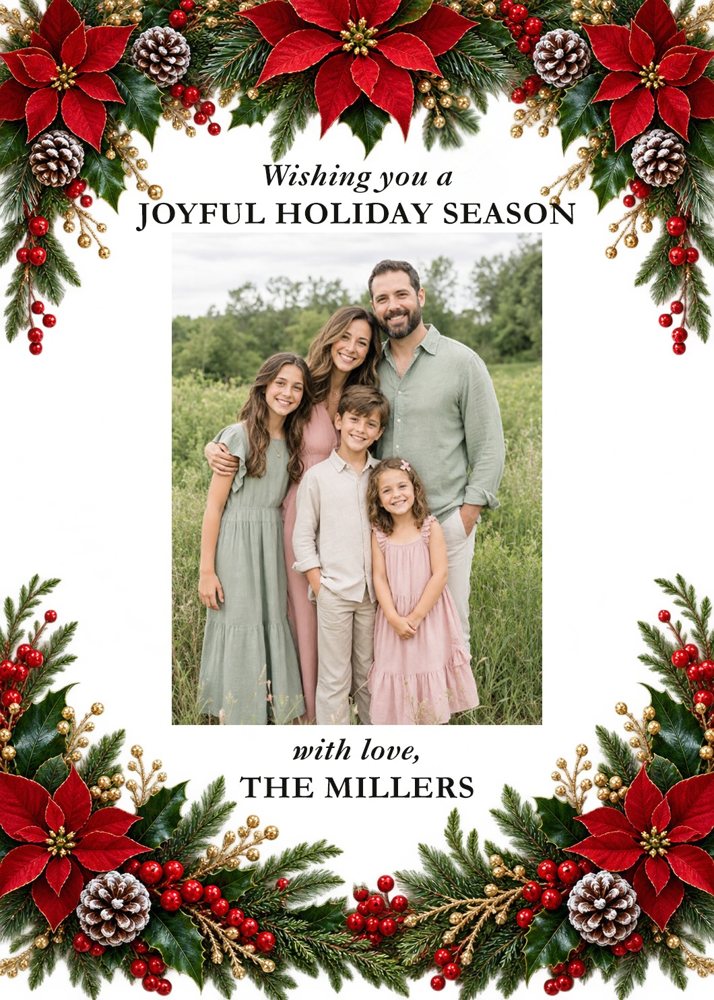
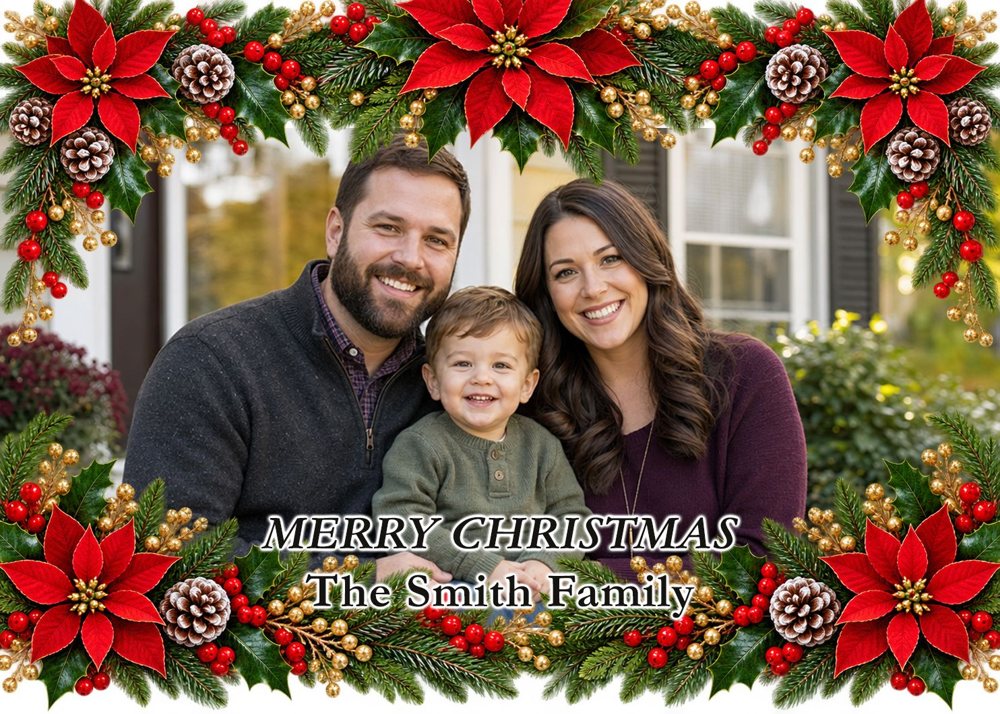
The Easiest Way to Make a Family Photo Card: Let AI Make the Frame
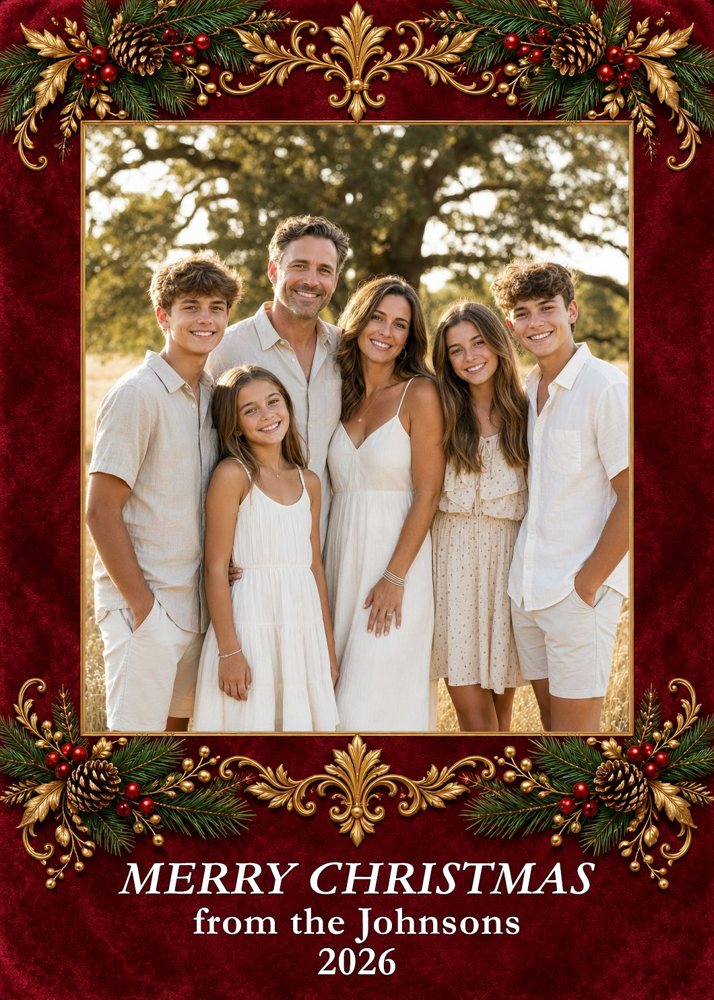
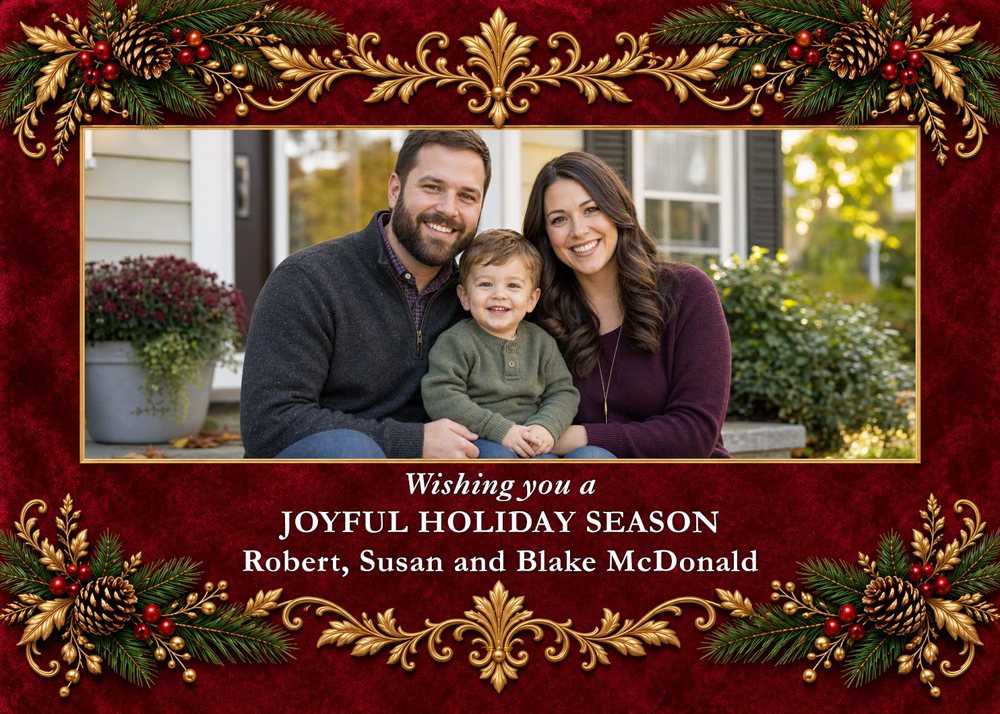
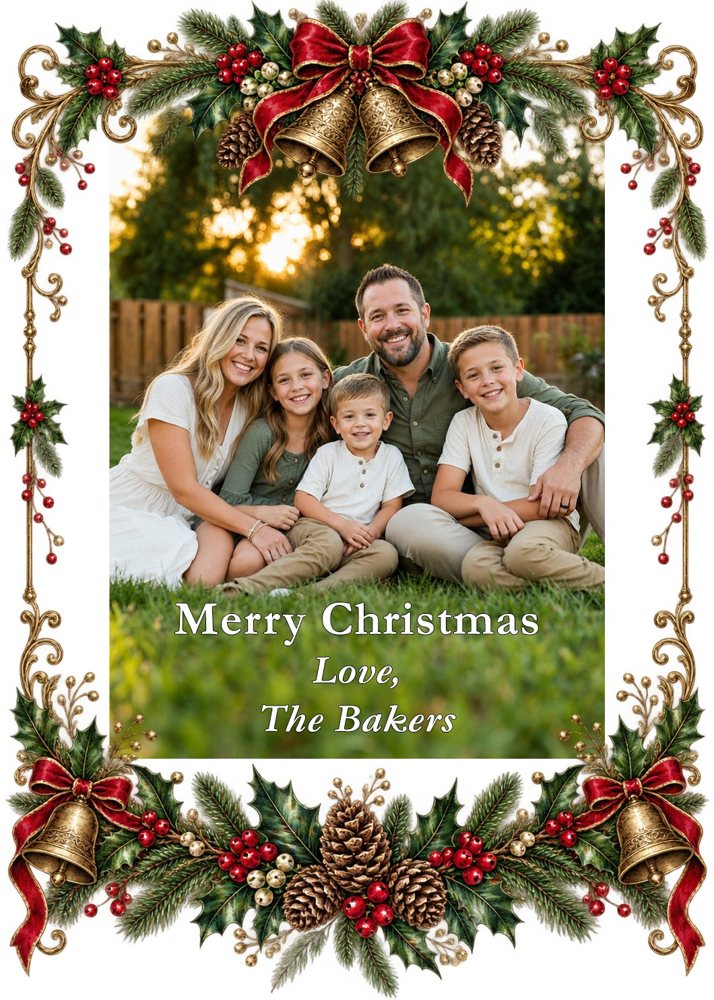
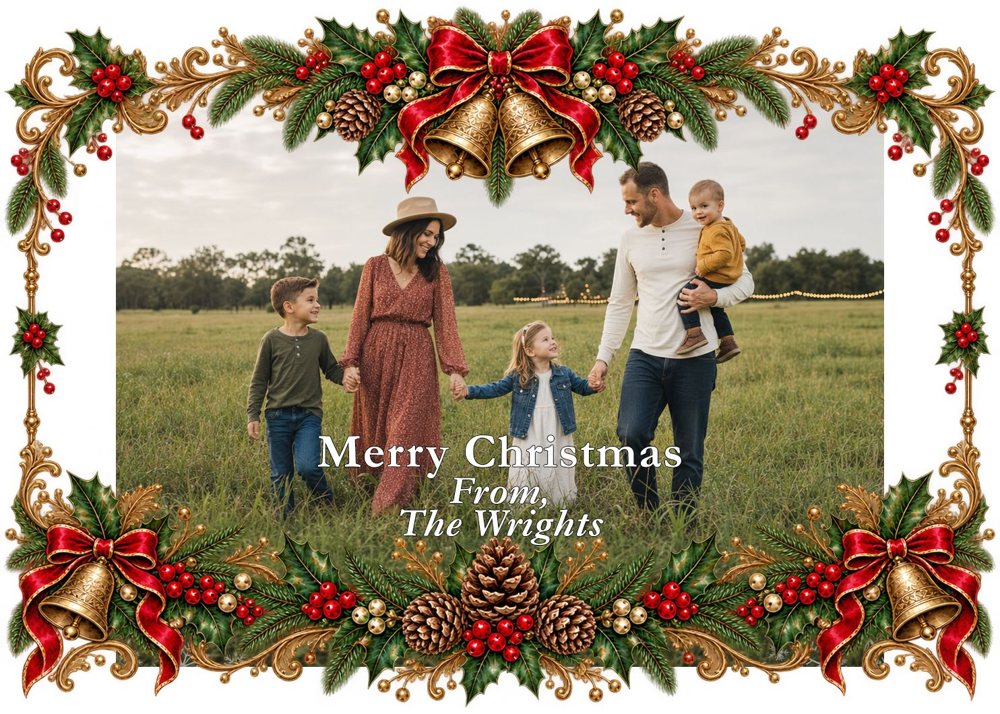
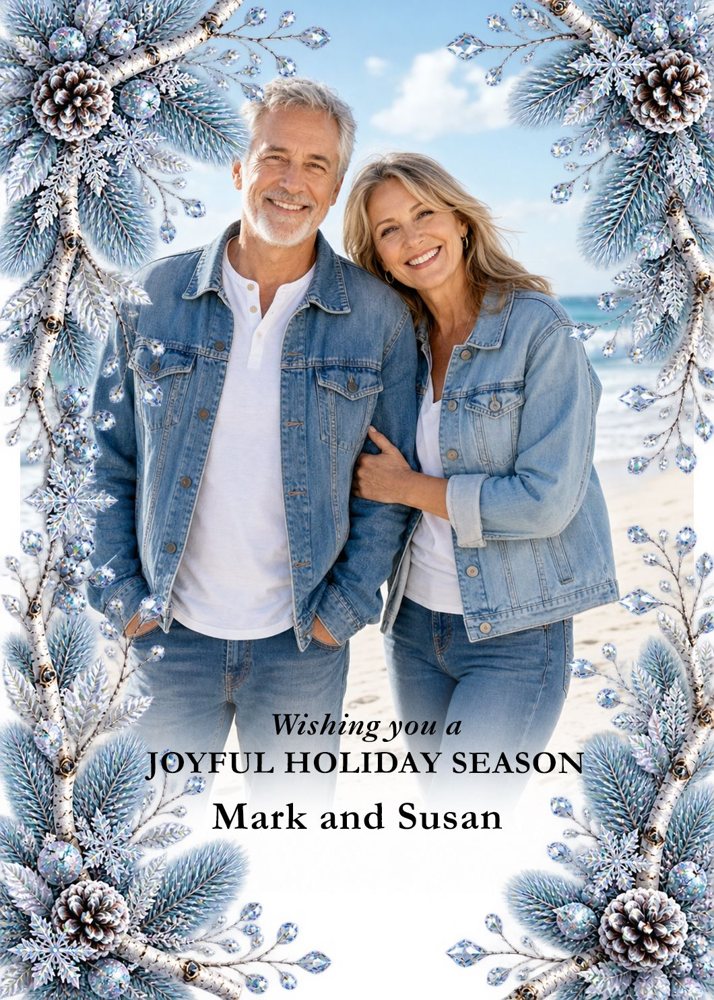
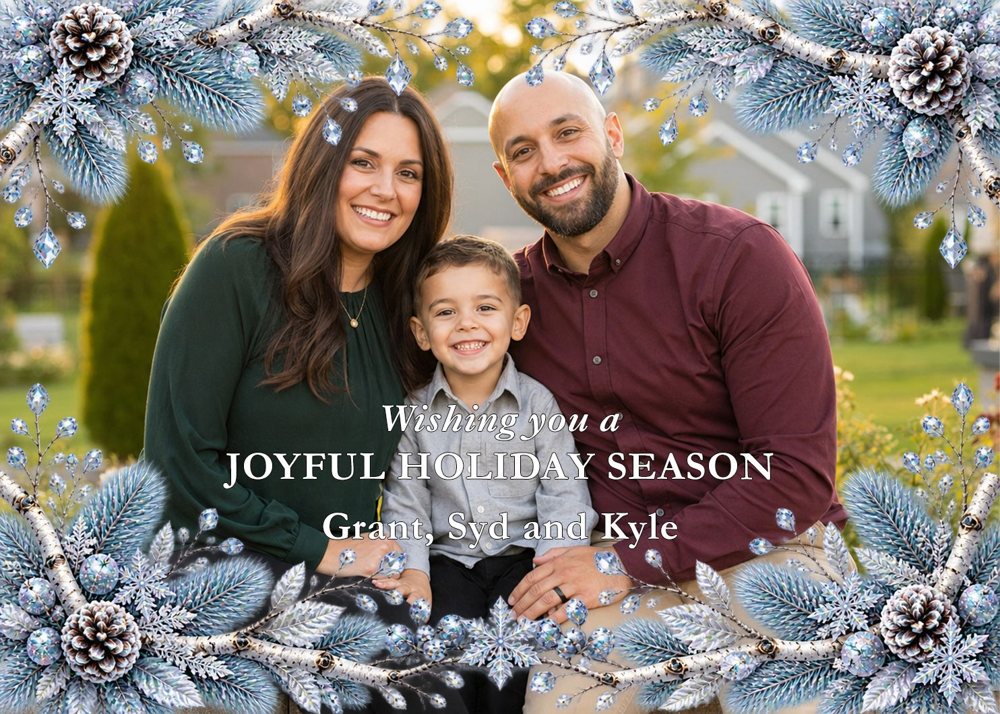
AI can create amazing designs and backgrounds, and it can make a new one for every customer. These samples show how easy it is to make a beautiful card design that is unique to you. Each one took three steps:
- Ask the AI for a frame. Use one of the prompts below. It draws only the border and leaves the middle open.
- Put your own photo behind it in Canva, Photoshop, or any editor that lets you stack pictures.
- Add your names and greeting with the text tool.
Because your real photo never goes through the AI, every face stays exactly as it is. The photos and names on these samples are examples only. Yours will be your own.
Burgundy and Gold
Victorian Bells and Holly
Frosted Winter
Red Poinsettia
Copy-and-paste prompts: AI makes the whole picture
Change the theme and colors in each prompt to whatever you like. None of these ask the AI for words, because AI often misspells them.
Portrait card (5 wide by 7 tall)
Landscape card (7 wide by 5 tall)
Family photo card: AI places your family in a scene (portrait)
This works, but AI can change faces. The frame method above is safer for family photos.
More theme ideas
Elegant
Watercolor evergreen wreath with gold berries on a cream background, open space in the center for a greeting.
Cozy
A snowy cabin at dusk with glowing windows and pine trees, soft blue and warm yellow, open sky at the top for text.
Vintage
A retro 1950s Christmas scene with a decorated tree and wrapped gifts, muted red and teal, open space along the bottom.
Modern
A minimalist gold-foil style pine branch on a deep green background, lots of empty space.
Playful
A cheerful flat-style snowman family in scarves, bright red and white, with room for names below.
Not sure what to ask?
Ask ChatGPT or Claude to write an image prompt for you, then paste it into your image tool. Claude helps with the words but does not make the picture.
Tips
- Say "no words or letters" every time, then add your greeting yourself.
- If the tool gives the wrong shape, do not worry. The template crops it. Most tools let you pick a shape in their settings or in your prompt.
- Keep faces and words inside the green dashed line.
- Screens look brighter than paper. Colors may print a little softer.
- We cannot print famous cartoon characters or brand logos.
How Ordering Works
1. Upload your card
Use the form below. Choose portrait or landscape, your quantity, and pickup or shipping.
2. We check it and send an invoice
We look at your file first. If it will not print well, we tell you before you pay. Printing starts after the invoice is paid.
3. Pick up or we ship
Most orders are ready in 2 business days. Pick up free in Mapleton or we ship by ground at cost.
More Holiday Printing From My Color Copies
Sending Christmas cards usually means other printing too. Here is what else we print from your finished files.
Holiday Flyers
Party invitations, bake sale and craft fair flyers, and neighborhood event notices in full color.
Christmas Programs
Ward, church, and school Christmas programs, with weekly standing orders available.
Family Booklets
Family cookbooks, holiday letters, and photo booklets with saddle-stitch or comb binding.
Holiday Newsletters
Year-in-review family letters and organization newsletters, printed and ready to mail.
Posters
Welcome signs, photo posters, and event posters in sizes from small to large.
Bulk Color Copies
Large runs of cards, flyers, and handouts at lower per-piece prices.
Planning a wedding too? Visit MCC Wedding Invitations, our sister business, or see its Christmas card page for design help. To check how big your picture needs to be, read our AI image print size guide.
Rated 5.0 Stars from 32 Google Reviews
We have printed for churches, schools, businesses, and families since 2008. Here is what a few of them said on Google.
★★★★★
“Fast, friendly, great quality, very fair pricing!”
Kim L. · Google review, October 2024
★★★★★
“They are very fast, very cheap and great quality. Excellent service, 100% recommended!”
Daniela F. · Google review, April 2023
★★★★★
“They are always very nice, very fast, and very good quality. I’ve been getting stuff printed here for years.”
Gavin G. · Google review, Updated 2026
Christmas Card Printing Questions
How much does it cost to print Christmas cards?
One-sided 5 x 7 cards on 100 lb matte cover stock start at $0.80 each for 250 cards and are $1.00 each for 100 cards. For example, 50 cards are $60.00 and 100 cards are $100.00, with a white envelope for every card. Pick up free in Mapleton, or add shipping at cost.
When is the last day to order?
December 19. Most orders are ready within 2 business days after we approve your file and your invoice is paid. Ground shipping cannot be promised to arrive by Christmas, so choose local pickup or order early if you need your cards before December 25.
Can you design my Christmas card?
No. We print finished files only. If you want help with design, see our sister business MCC Wedding Invitations.
What file should I send?
A PDF is best. A high-quality PNG or JPG works too, if the picture is big enough. A portrait card needs about 1500 x 2100 pixels, and a landscape card needs about 2100 x 1500 pixels.
My AI picture is too small. Can you fix it?
Yes. We can enlarge it for $10 per file, or $20 if we also fix small text problems. We tell you the price first, and there is no charge if the result does not look good.
Which AI tools can I use?
Any tool that makes pictures, including ChatGPT, Gemini, Grok, and Canva. Claude does not make pictures, but it can write a good prompt for you. Menus change often, so pick the tall (portrait) or wide (landscape) shape and download the largest version.
Can I put our family photo in the AI picture?
Yes. Use the family photo prompt above, then zoom in and check every face against your original photo. The most reliable way is to have the AI make only the background and place your real photo on top of it in Canva.
Can I print a Christmas card I made with AI?
Yes. We print cards made with ChatGPT, Gemini, Grok, Canva, or any other tool. Send us a finished PDF, PNG or high-quality JPG. We check the file first and tell you before you pay if anything will not print well.
How do I make a Christmas card with ChatGPT, Gemini or Grok?
Copy one of our prompts, paste it into your image tool, and download the largest picture it gives you. Then drop the picture into our free 5 x 7 template, add your greeting and names with a text tool, and save it as a PDF, PNG or high-quality JPG. Upload it with our order form. The step-by-step guide and prompts are on this page.
What size should an AI image be for a 5 x 7 Christmas card?
A portrait card needs about 1500 x 2100 pixels, and a landscape card needs about 2100 x 1500 pixels. Most AI tools do not offer an exact 5:7 shape, so choose the closest tall or wide shape, download the largest version, and let our template crop it to fit.
How can I add my family photo without the AI changing our faces?
Ask the AI to make only the frame or background, with an open center, then place your real photo behind it in an editor such as Canva or Photoshop. Because the photo never goes through the AI, every face stays exactly as it is. Our samples above were made this way.
Where can I print Christmas cards in Utah County?
My Color Copies is in Mapleton, Utah. You can pick up your cards free Monday through Friday, 9 AM to 5 PM, or we can ship them by ground for $10. Call or text (801) 491-6931.
Are envelopes included?
Yes. Every card comes with a white envelope at no extra charge.
Can I get something printed on the back of my card?
Available upon request. Please call or text (801) 491-6931 or email hello@mycolorcopies.com.
To order, please fill out the form and upload your card
Before you send your card
- Portrait is 1500 x 2100 pixels. Landscape is 2100 x 1500 pixels.
- The picture fills the whole card, with no white border.
- Faces and words are inside the green dashed line on the template.
- Your greeting is spelled correctly. Please read it twice.
- You chose portrait or landscape, quantity, and pickup or shipping.
Tip: Last day to order is December 19. Not sure your file is big enough? Send it anyway. We check every file for free before you pay.